

At ePublishing, we’re always looking for ways to enhance our products. Today, we’re excited to reveal the new features added to Duet, a print workflow management solution. This dynamic tool simplifies collaboration and boosts efficiency by connecting content management systems with Adobe InDesign. Below, you’ll find descriptions of five new updates.
Open Stories in Continuum and Ellington
The Duet story panel now allows you to open a story in Continuum and Ellington. When InDesign users want to make edits to the story, like fixing spelling errors, changing the text, or adding additional images, they simply double click on the preview icon. Then, Duet will open the story in a browser, so changes are at your fingertips.
Access Metadata from Ellington in Duet
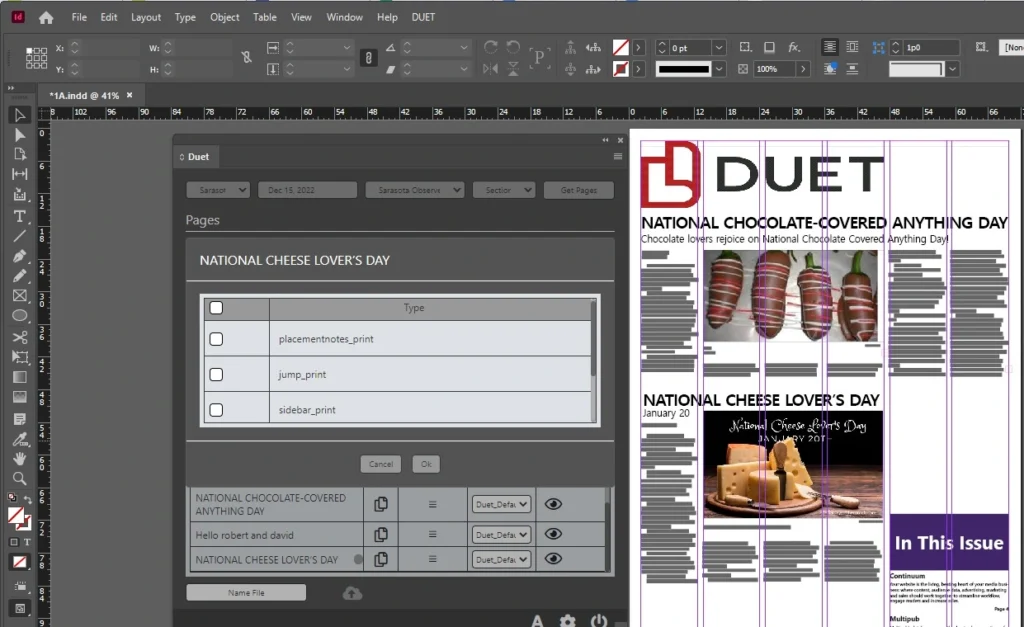
Duet now supports access to information from the Ellington Metadata tab. This enhancement allows Editors and Page Designers to communicate through a story, as well as share text elements.
Supported metadata types:
- Jump_print
- Sidebar_print
- Pullquote_print
- PlacementNotes_print
Apply Paragraph Styles with Text Items for Placement.
Duet now supports the ability to assign InDesign paragraph styles to inline items. This allows for each template to automatically apply different paragraph styles for placing content, making formatting faster.
Merge More than One Page at a Time
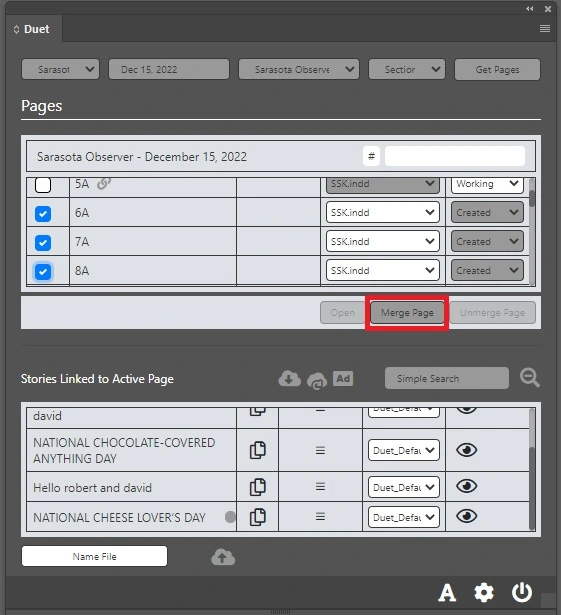
Now, you can merge more than one page at a time, using Duet. There is no limit to the number of pages added at once. This is particularly helpful to designers who like to work all their pages in one InDesign document.
Access Image Galleries from Ellington
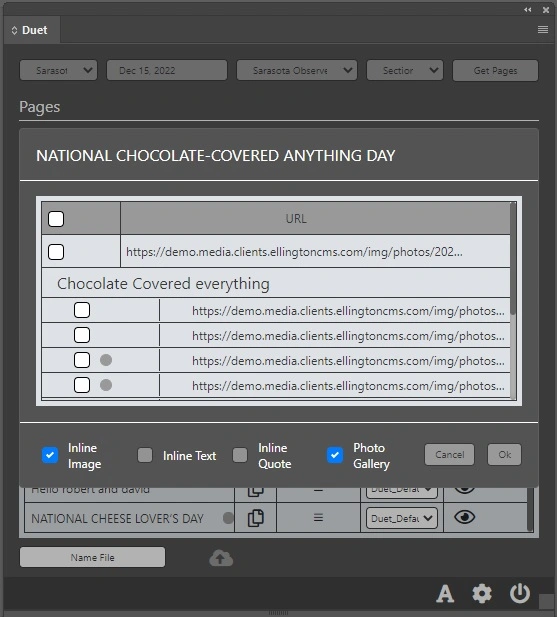
When used with Ellington, Duet supports image galleries assigned to pages. For example, when you have an image gallery full of images that you want to use in print, simply assign the image gallery to a story in Ellington. Then, drag and drop it in place on a page.
What We’re Planning for 2023
In addition to these changes, we’re developing more new features this year. Each of these three items will create even stronger connections between Duet and our content management systems, Continuum and Ellington. See what’s in store below.
- Page preview sent to Continuum and Ellington.
- Page status sent to Continuum and Ellington.
- Continuum directories are made available to be placed through Duet.